Get Blended is a large-scale education SaaS platform designed to support daily school operations through a single, connected system. It brings together administrators, teachers, students, and guardians — each with different needs but working from the same shared data.
Scope:
Responsibilities:
Product experience & system design
20K+ active users across schools
80% task completion rate in user testing
2x increase in teacher engagement
The Problem
Schools were operating across fragmented tools for admissions, academics, communication, and reporting — creating duplicated data, inconsistent workflows, and limited visibility across roles.
The challenge was not just feature consolidation, but designing a structured, role-based system where administrators, teachers, students, and guardians could operate within the same data environment without increasing complexity.
Key Challenges
Designing distinct role-based experiences within a shared data infrastructure
Maintaining clarity and consistency across complex, data-heavy workflows
Preventing information overload while supporting detailed academic processes
Ensuring the system could scale and evolve without UX degradation
Role-Based Solution
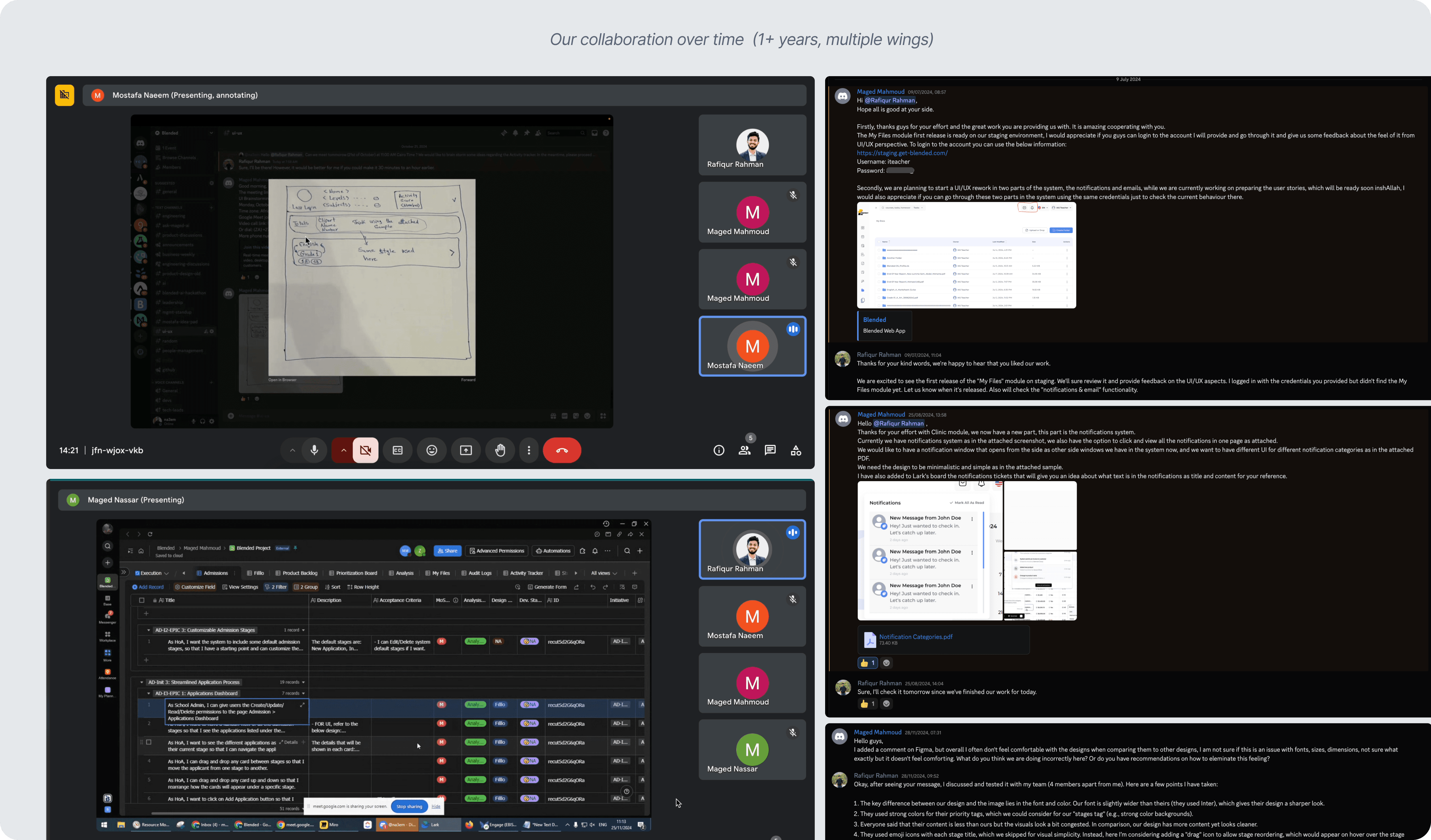
Each experience was designed by translating detailed feature requirements shared in Lark into clear, role-based workflows — adapting the process to the product rather than following a fixed framework.
Admin: One system to manage academics, operations, fees, costs, and communication with full visibility and control.
Teacher: A unified interface to manage classrooms, discussions, grading, and teaching resources efficiently.
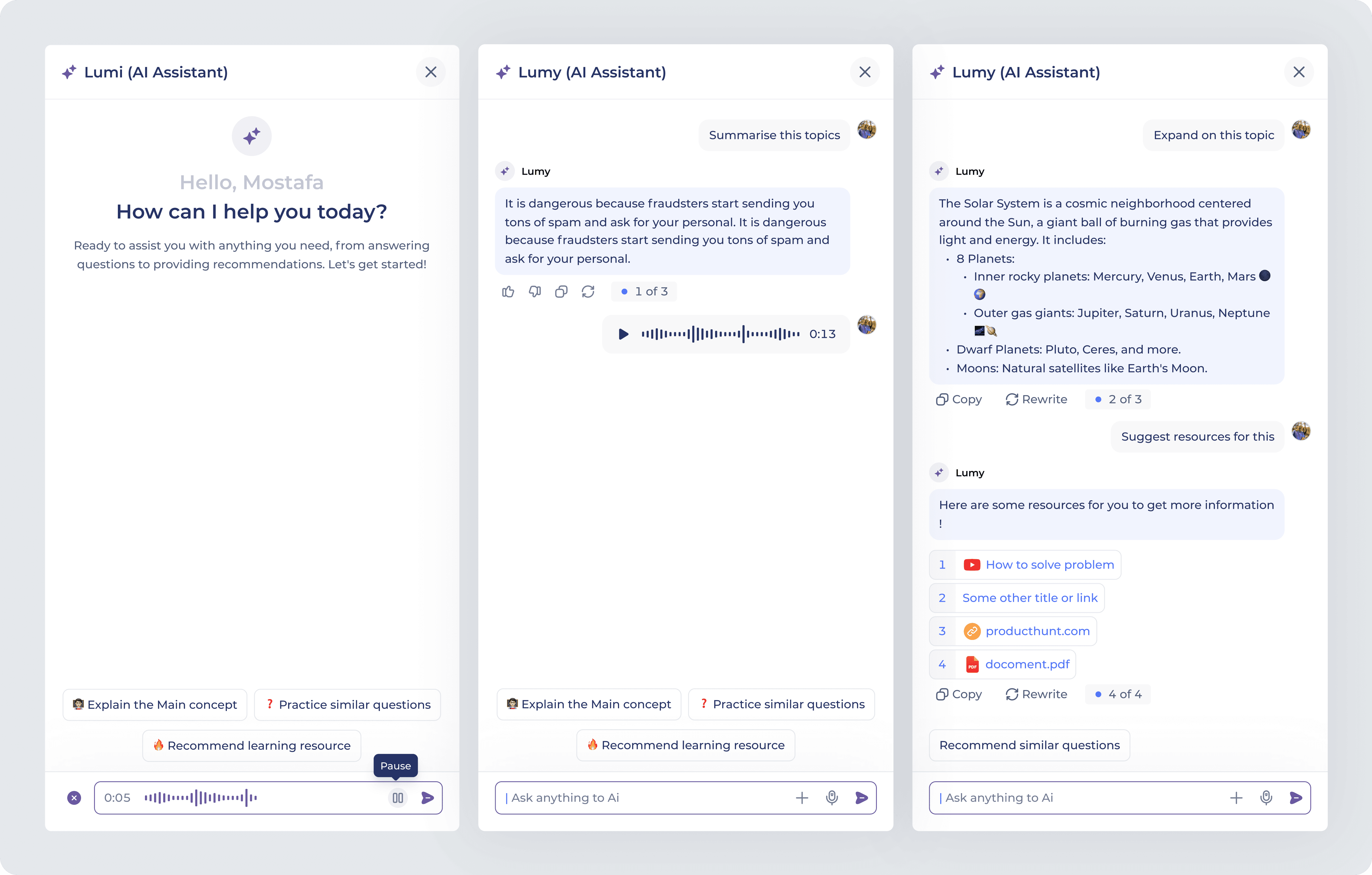
Students: Clear academic tracking, structured assignment flows, and AI-assisted learning support within a unified workspace.
Guardians: Transparent access to communication and student progress without operational complexity.
Collaborative Product Foundations
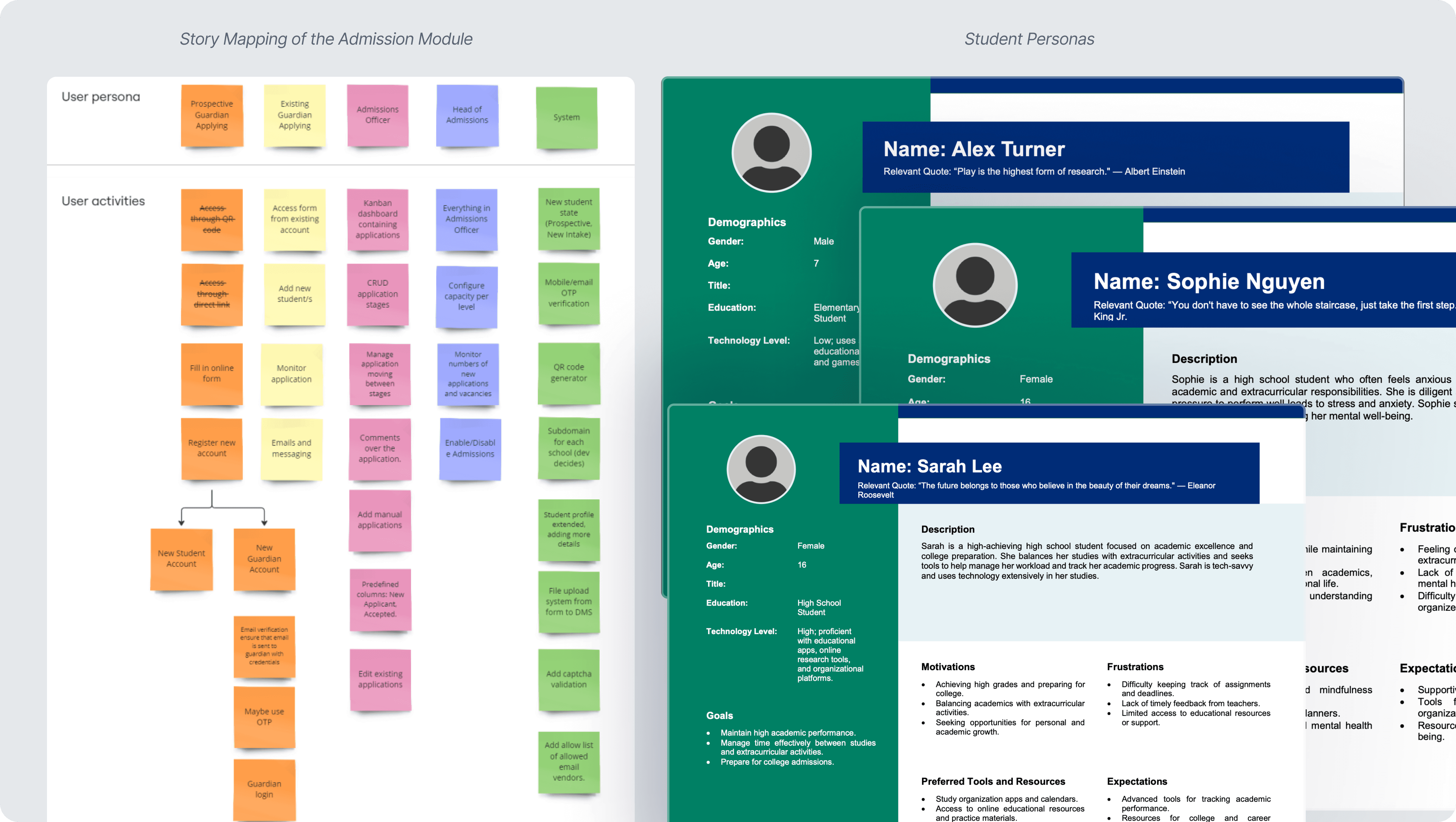
Feature requirements were mapped and refined through structured discussions, story mapping, and persona definition — aligning product direction before design execution.
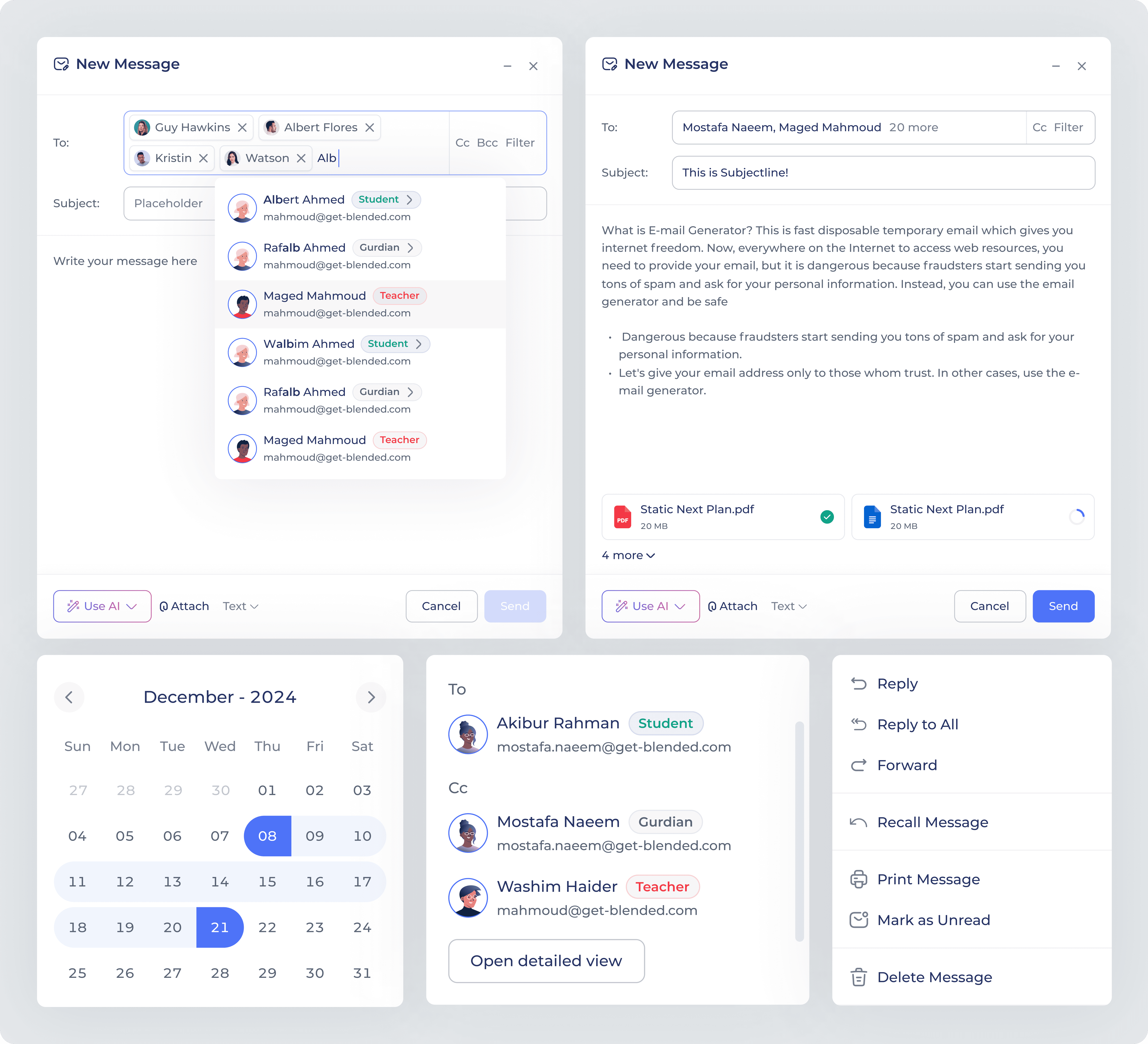
Mailbox – Unified Communication Hub
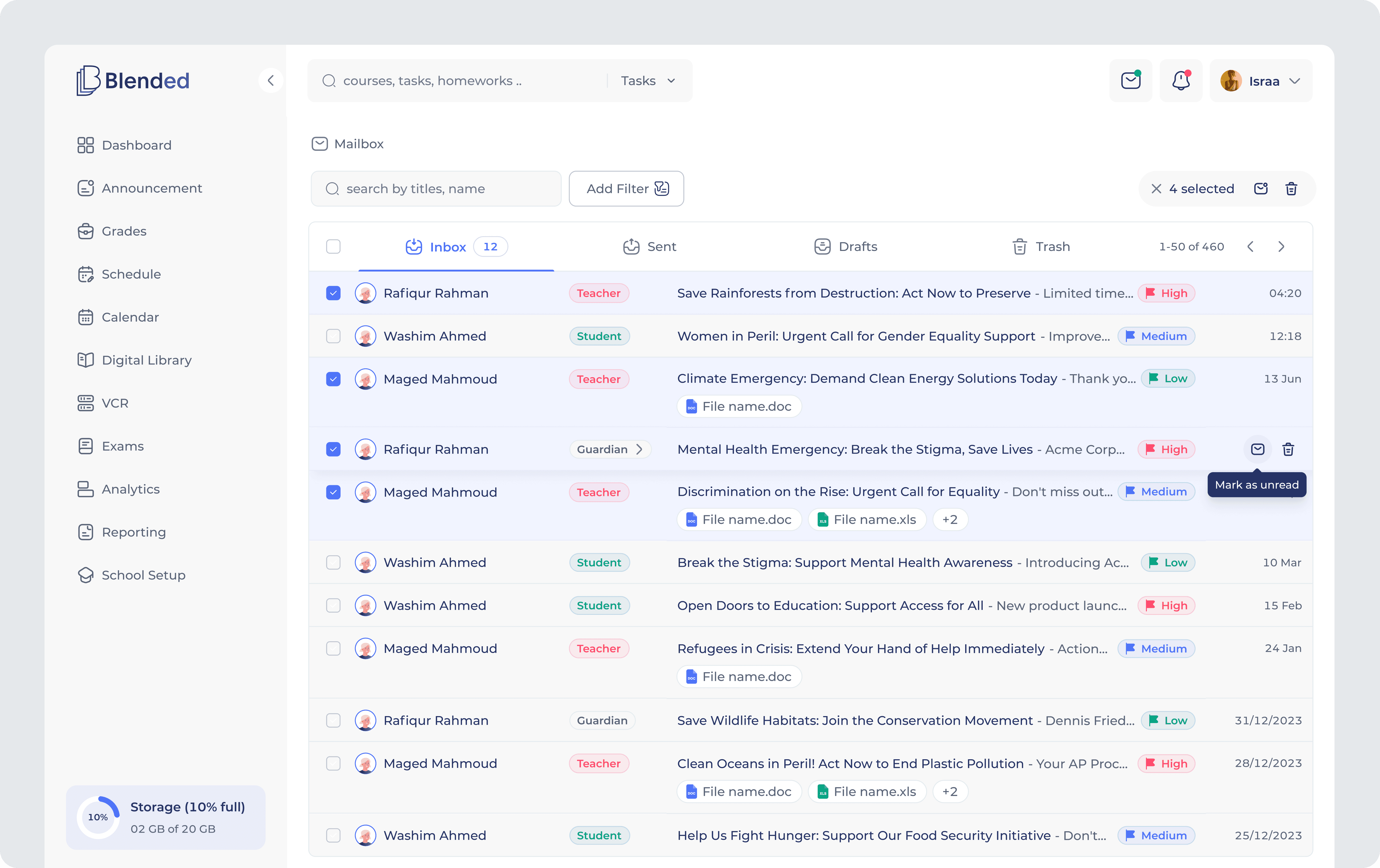
School communication was scattered across roles and difficult to manage at scale. The Mailbox module centralized conversations within a structured interface, using categorization, smart filters, and contextual previews to reduce friction and improve message visibility.
AI-assisted drafting supported faster communication without disrupting established workflows or permission controls.
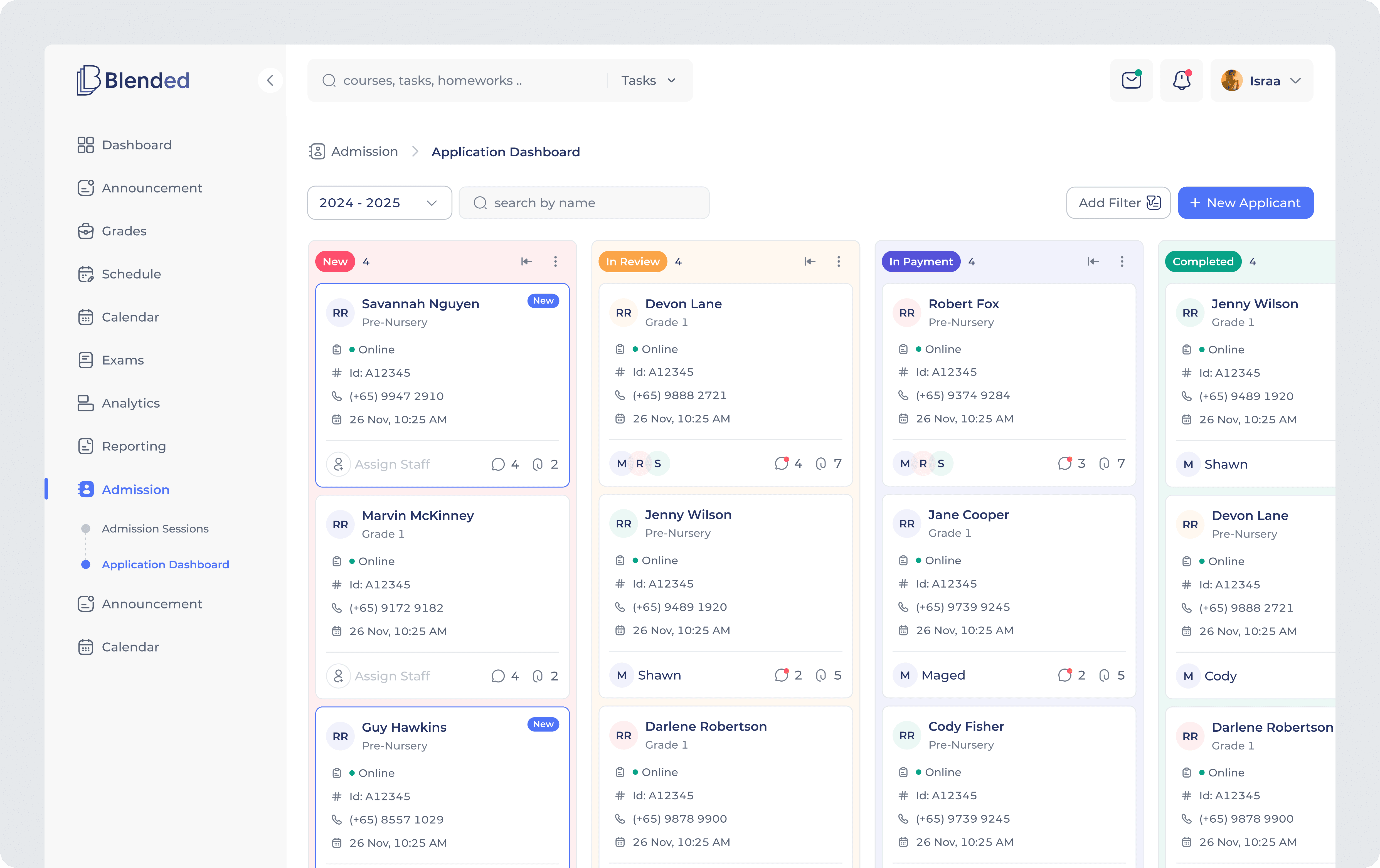
Admission Module – Application Management
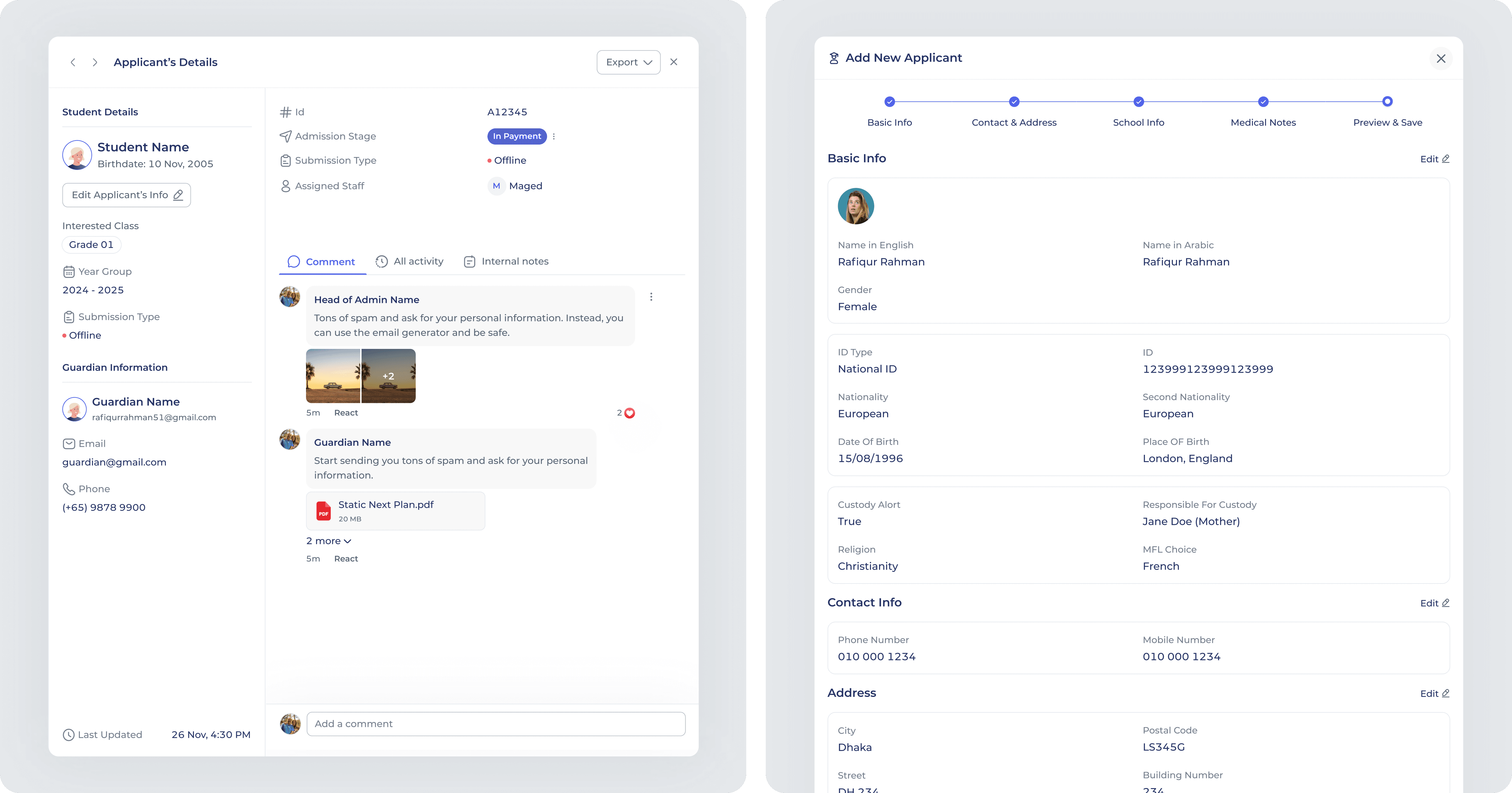
Managing high volumes of student applications across multiple stages created operational complexity and limited visibility. The Admission module introduced a structured, stage-based system organizing applicants by status, centralizing profiles, and clarifying staff ownership.
Guided submission forms and stage dashboards standardized enrollment, improving coordination and maintaining clear visibility across the applicant lifecycle.
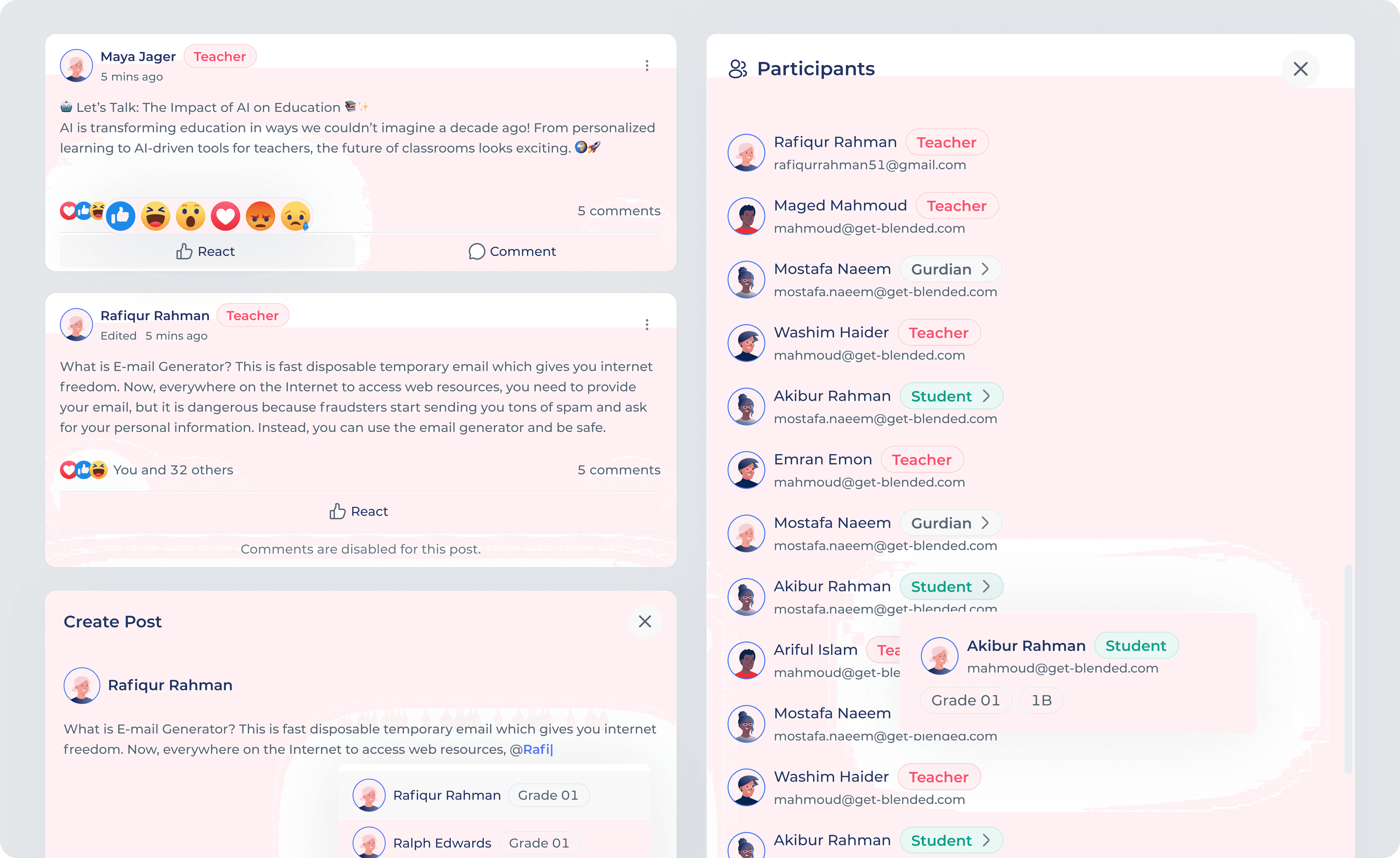
Discussion Room – Classroom Collaboration
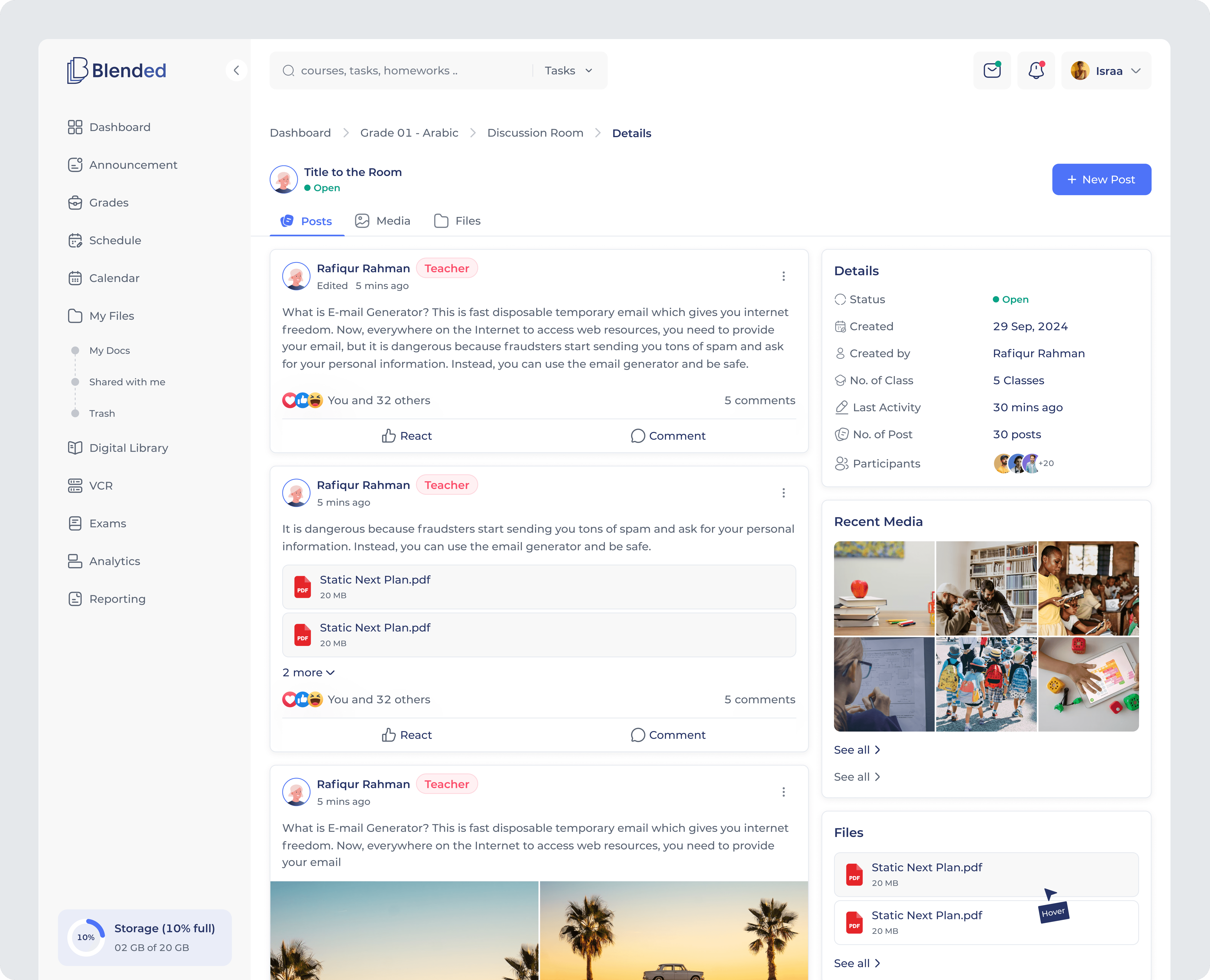
Unstructured communication made it difficult to track participation, shared resources, and ongoing classroom discussions.
A structured, thread-based discussion space centralized posts, media, and files, while moderation controls and audience settings supported focused, manageable engagement.
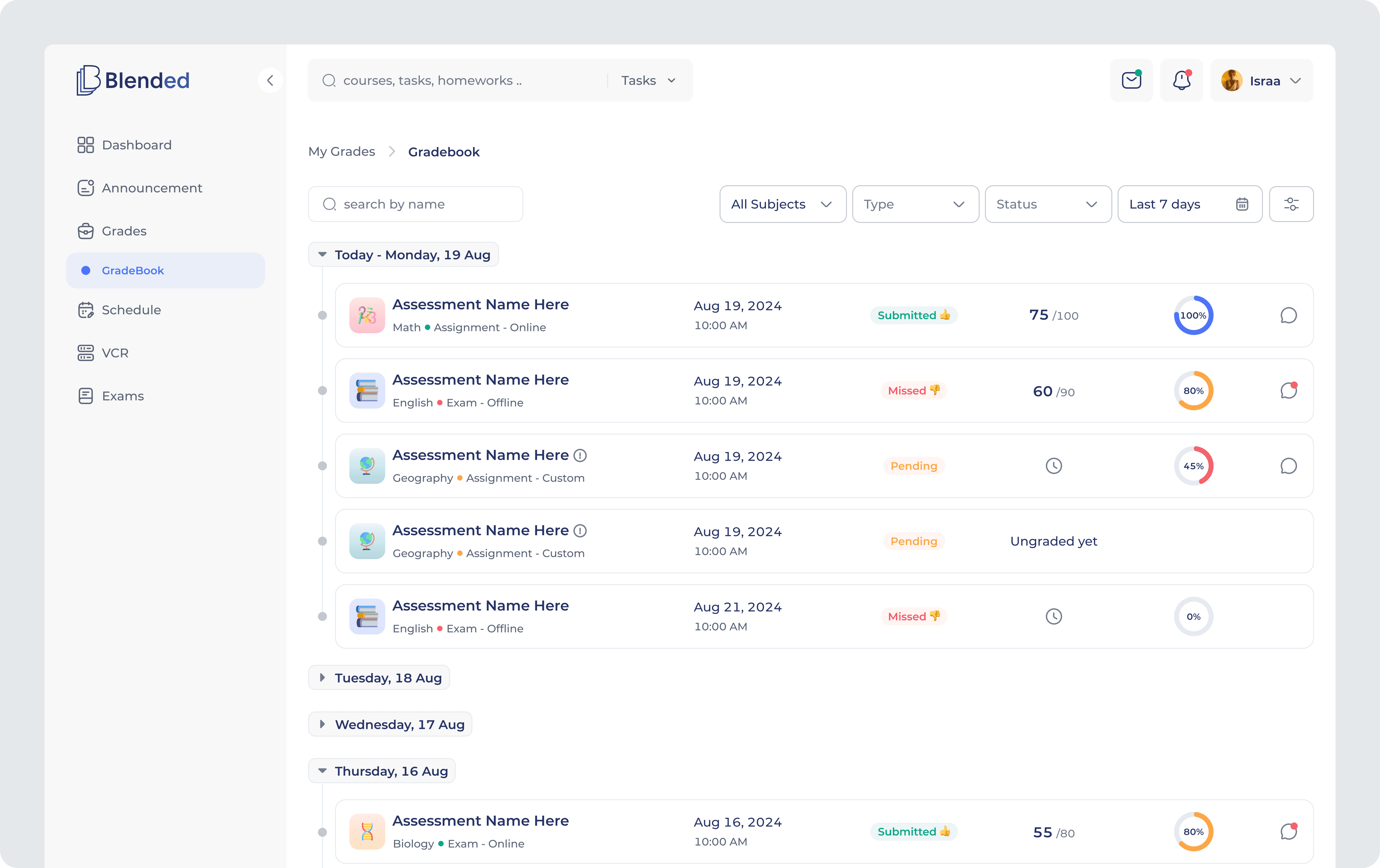
Gradebook & Assignments
Gradebook: A centralized gradebook system providing clear visibility into academic performance across subjects. Structured table views, smart filters, and contextual detail panels help students track scores, deadlines, and feedback efficiently.
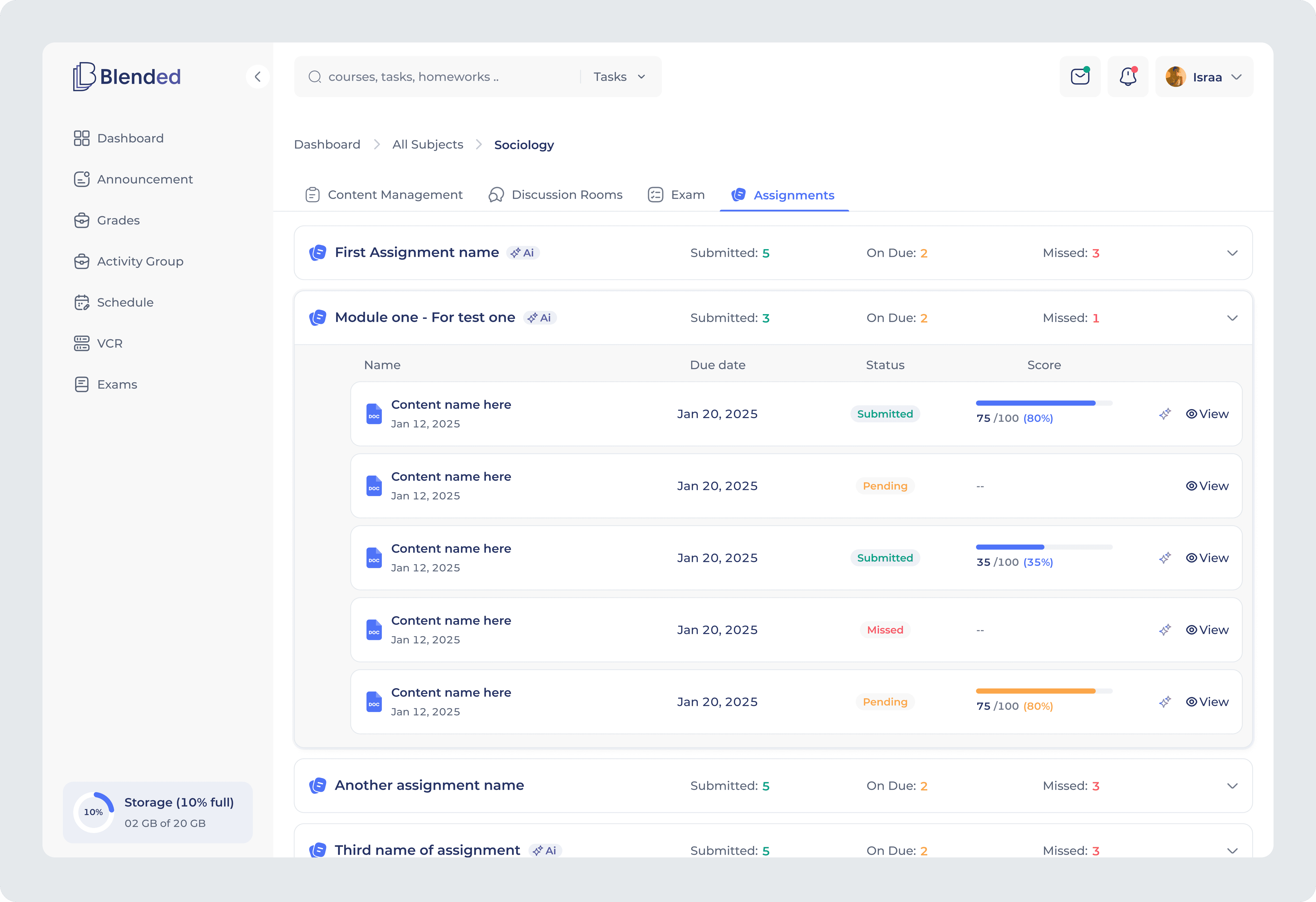
Assignments: An interactive assignment workspace where students can manage submissions, track deadlines, and engage with course content in one unified flow. Clear status indicators, structured task lists, and integrated AI support help students stay organised and better prepared.
Additional Modules & Extensions
Beyond the core academic workflows, I designed several system-level modules supporting communication, operational oversight, and administrative control across the platform.
Announcements: Structured publishing system for role-based updates.
Activity Tracker: Action monitoring to maintain operational transparency.
Content Management: Organized framework for managing learning materials and internal resources.
Fees & Finance: Clear configuration of cost centers, invoicing, and tax structures.
Notifications: Unified alert system across user roles.
Audit Logs: Comprehensive activity history for accountability and system oversight.
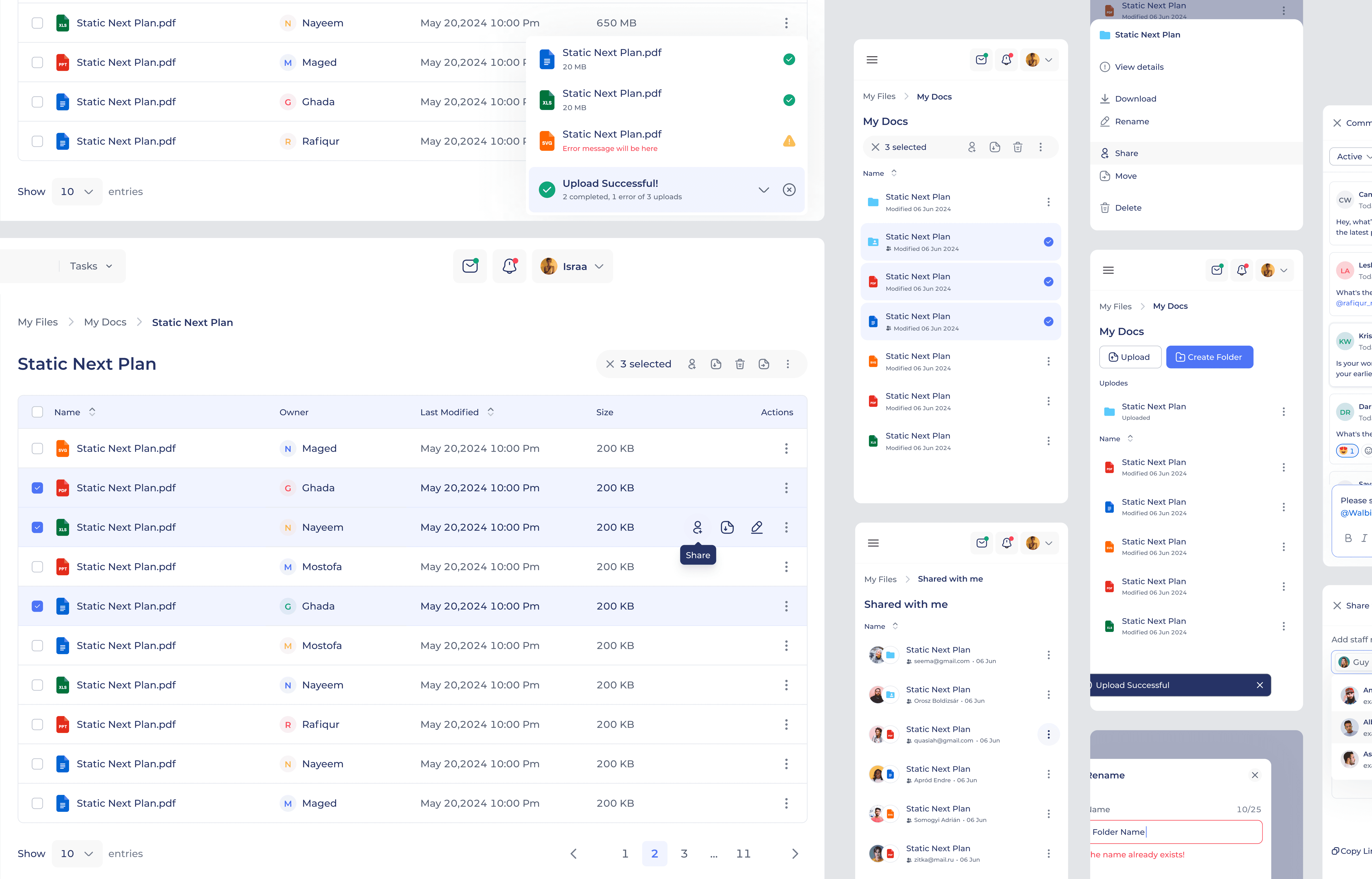
Files & Resources: Centralized workspace for managing and sharing academic content.
Impact & Outcomes
The platform successfully unified academic, operational, and communication workflows across multiple user roles, reducing system fragmentation and improving overall usability.
Administrators gained centralized visibility and control, teachers experienced more streamlined workflows, and students benefited from clearer academic tracking and guided support.
The result was improved task completion, increased teacher engagement, and scalable adoption across schools.
20K+ active users across schools
80% task completion rate in user testing
2x increase in teacher engagement
Learnings
Designing across multiple user roles within a shared system highlighted the importance of clear structure and consistent patterns. Scalability depends less on adding features and more on defining how information and permissions flow across the product.
Design maturity comes from shaping systems, not just interfaces.